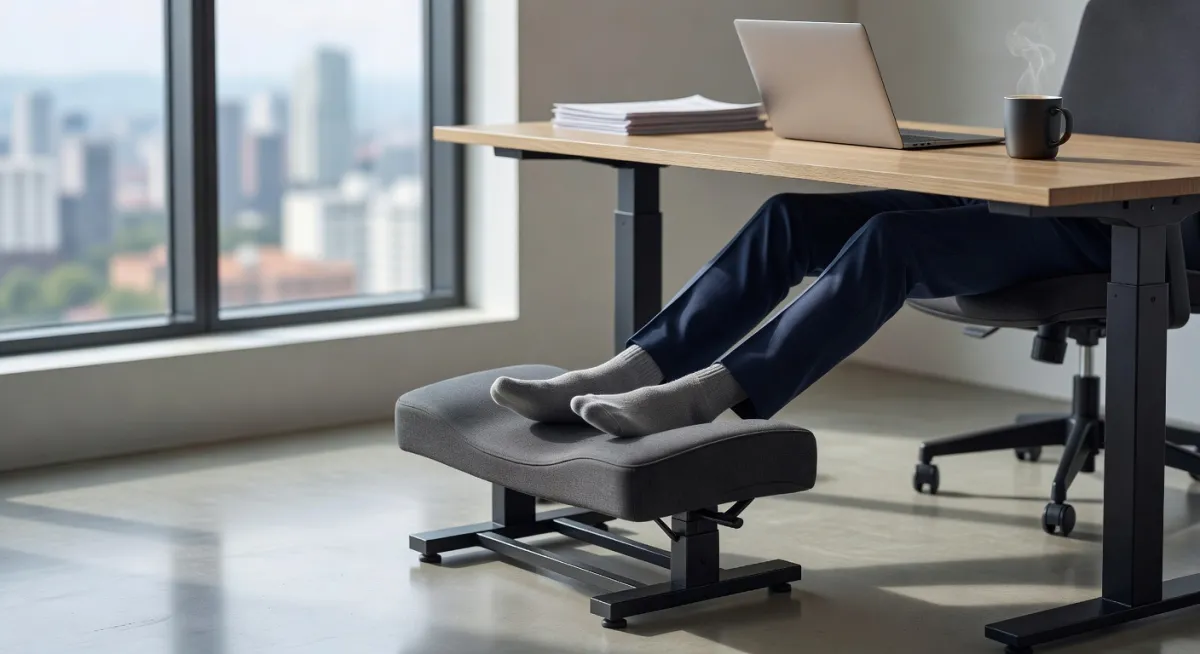
Every time you adjust a monitor arm or slide a footrest closer, you are participating in a conversation that began in military research labs and industrial factories decades ago. That conversation is about anthropometry — the systematic measurement of the human body — and it sits at the foundation of every piece of ergonomic equipment you own. Understanding its core principles does not just satisfy intellectual curiosity; it gives you a practical framework for setting up a workspace that genuinely fits your body, rather than one that merely approximates comfort.
What Anthropometry Actually Measures
Anthropometry is not simply about height. It encompasses dozens of distinct body dimensions: seated eye height, popliteal height (the distance from the floor to the back of the bent knee), shoulder-to-elbow length, grip breadth, reach envelope, and more. Each of these measurements varies considerably across individuals and across populations. A dimension that fits 90 percent of one national population may fit a very different proportion of another.
Ergonomic designers work with two fundamental types of anthropometric data. Structural anthropometry captures static measurements taken with the body in standardized positions. Functional anthropometry captures the reach and movement of body segments during actual tasks — the arc your arm traces when you extend it toward a keyboard, for instance, rather than just the length of that arm at rest. Both types are necessary because a workspace is not a photograph; it is a dynamic environment.

As an Amazon Associate, I earn from qualifying purchases.
The Percentile Problem: Why "Average" Is a Design Failure
A foundational insight in applied anthropometry is that designing for the average person produces a product that fits almost nobody well. This is because the person who is average in one dimension — say, seated height — is rarely average in another, such as arm length or shoulder width. Designing for a statistical composite means real individuals must compensate with awkward postures at every turn.
Instead, engineers design adjustable products to accommodate a defined range — typically the 5th to 95th percentile of a target population for the relevant dimension. This means the equipment is intended to fit the vast majority of users when properly adjusted, while acknowledging that those at the extreme ends of any dimension will need specialized solutions. The percentile a designer chooses matters enormously: a footrest calibrated only to mid-range seated heights will leave shorter users dangling and taller users hyperextending their knees.
Monitor Arms: Geometry in Three Dimensions
A monitor arm looks like a simple mechanical convenience, but its geometry is a direct translation of anthropometric data about the visual system and the cervical spine. The key measurement at play is seated eye height, combined with the preferred angle of the line of sight for sustained visual work. Research in visual ergonomics consistently indicates that a slightly downward gaze — the top of the screen near or just below eye level — reduces strain on the muscles of the neck and upper back that would otherwise hold the head in a forward-tilted position.
The horizontal reach to a screen matters just as much as its vertical position. Viewing distance interacts with both screen size and individual visual acuity. A monitor arm that allows both depth adjustment (pushing the screen closer or farther) and height adjustment simultaneously addresses two independent anthropometric variables that a fixed monitor stand cannot.
As an Amazon Associate, we earn from qualifying purchases.
The articulated joint systems used in quality monitor arms — typically gas-spring or friction-pivot mechanisms — are engineered to hold positions within a range of motion that mirrors the adjustment envelope a human of any covered percentile actually needs. The range of vertical travel on a typical arm is not arbitrary; it corresponds to the difference in seated eye height between a short and a tall adult user in an adjustable chair.
Tilt and Rotation: The Cervical Spine's Preferences
Screen tilt is where many users stop paying attention, but it is governed by a clear biomechanical principle. A slight backward tilt of the screen — its top angling away from you — compensates for the downward gaze angle so that the screen surface remains roughly perpendicular to your line of sight. Without this, reflections increase and users unconsciously lean forward, compressing cervical vertebrae. The adjustability of tilt on a monitor arm is not a luxury feature; it is the mechanism through which you align a flat panel to a non-flat line of sight.
Footrests: The Overlooked Variable in Seated Posture
Footrests are perhaps the most misunderstood category of ergonomic accessories. They are often treated as an afterthought — something for shorter people who cannot reach the floor — but their role in the anthropometric system of a workspace is more significant than that framing suggests.
The popliteal height is the critical dimension here. Proper seated posture requires the feet to be fully supported so that the thighs are roughly parallel to the floor and the angle at the knee is at or near 90 degrees. When a desk height is fixed — as most are — and a chair is raised to bring the work surface to elbow height, the feet often lose contact with the floor entirely. A footrest restores that contact, redistributing pressure away from the backs of the thighs, where edge-of-seat compression can impair circulation.
The geometry of a footrest is governed by two adjustable parameters: height and tilt angle. Height accommodates differences in popliteal measurement across users. Tilt accommodates the natural angle of the foot when the lower leg is in a relaxed, slightly forward position — which is not flat. A footrest that holds the foot horizontal often induces dorsiflexion tension in the ankle over time. Platforms that allow a slight heel-down, toes-up incline align with the ankle's preferred resting geometry.
Dynamic vs. Static Footrests
A newer design category introduces a rocking or pivoting surface to a footrest. The reasoning is grounded in musculoskeletal physiology rather than anthropometry alone: static postures, even correct ones, reduce circulation and increase localized muscle fatigue. A footrest that encourages micro-movements of the ankle and calf engages the muscles responsible for venous return from the lower limbs, reducing the pooling effect of prolonged sitting. This is a case where the material science of the platform surface — its resistance, its pivot friction — must be calibrated to encourage movement without requiring active attention from the user.
Wrist Supports: Material Science Meets Contact Mechanics
Wrist rests sit at an interesting intersection of anthropometry, material science, and biomechanics. Their purpose is frequently misunderstood: they are not intended to support the wrist during active typing, but to provide a resting surface during pauses. During keystrokes, the wrist should ideally be in a neutral, slightly elevated position, not pressing into a foam pad.
The anthropometric dimension driving wrist rest geometry is the wrist-to-elbow distance combined with the keyboard height relative to seated elbow height. If the keyboard surface is at the correct height — roughly at or slightly below relaxed elbow level — wrist extension during typing is minimized. A wrist rest's primary job is to prevent the sharp edge of a desk or keyboard tray from creating contact pressure on the carpal tunnel region during idle moments.
Density, Compliance, and Pressure Distribution
This is where material science becomes directly relevant. A wrist rest that is too firm concentrates pressure on a small contact area over the carpal bones, potentially compressing underlying structures. A rest that is too soft causes the wrist to sink and deform into an ulnar or radial deviation. The ideal material has sufficient compliance to distribute load across a broader surface area while maintaining enough resistance to prevent postural collapse.
Memory foam, gel-filled skins over foam cores, and various open-cell polymer foams each behave differently under sustained load and temperature. Gel materials tend to distribute pressure more evenly due to their fluid-like behavior under compression. Foam materials with viscoelastic properties conform progressively rather than instantaneously, which can better accommodate variation in wrist anatomy across users. The width and depth of a wrist rest must also match the spread of the keyboard or mouse pad it accompanies — a dimension that varies with the anthropometric reach of the user's hand.
How These Systems Interact: The Workspace as a Linked Chain
Monitor arm height, footrest height, chair seat height, and desk surface height are not independent variables. They form a kinematic chain. Change one and the optimal values for the others shift. This is why ergonomic setup advice that addresses only one component is inherently incomplete.
The logical sequence is to start with the fixed constraint — usually the desk height — and work outward. Set the chair height so that the desk surface aligns with your relaxed elbow. If your feet no longer reach the floor, introduce a footrest of the appropriate height. Then set the monitor arm so the top of the screen is at or near your seated eye height. Only once the primary kinematic chain is correct should you fine-tune secondary elements like wrist rest depth and screen tilt.
This chain-based thinking is why furniture choices matter as much as accessory choices. A desk or workstation with height adjustability dramatically simplifies the downstream configuration of every accessory attached to it, because it removes the fixed constraint that forces compromises throughout the system.
Population Variation and the Limits of Standard Products
It is worth being honest about what standard ergonomic products can and cannot accomplish. Most are designed around anthropometric data drawn from specific adult populations, which means their adjustment ranges reflect the variation within those groups. Individuals whose dimensions fall outside typical ranges — very tall adults, people with limb differences, or users whose proportions diverge significantly from population norms — may find that standard adjustment ranges are inadequate even at their extremes.
This is not a failure of the underlying science; it is a reflection of the economic reality of mass production. The science of anthropometry is precise enough to specify exactly what a custom solution would require. The practical implication for most users is to check the specified adjustment ranges of any equipment against their own measurements before assuming standard products will meet their needs.
Putting It Into Practice
You do not need a laboratory to apply these principles. A few self-measurements — seated eye height, seated elbow height, and popliteal height — will give you the anthropometric anchors you need to evaluate any ergonomic accessory rationally. Seated eye height tells you where your monitor's top edge should sit. Seated elbow height tells you where your keyboard surface should be. Popliteal height tells you whether your footrest height range is appropriate for your body.
Once you have those numbers, the geometry of monitor arms, footrests, and wrist supports stops being a matter of guesswork or marketing language. It becomes a matter of matching specified adjustment ranges to measured human dimensions — which is exactly what anthropometry has always been about.